

Which Heat Sink Is Best for PC?
The Ultimate Performance Guide
The Short Answer
There is no single “best” heat sink for every PC; the optimal choice depends entirely on your thermal design power (TDP) and spatial constraints. For general computing and standard workstations, an aluminum extruded active heat sink offers the best balance of cost and efficiency. For high-performance gaming or overclocking, a copper base with heat pipes or an AIO liquid cooler is superior due to copper’s high thermal conductivity. For silent industrial servers or 1U/2U rackmounts, a passive skived fin copper heat sink is often the best choice to maximize airflow without mechanical failure points. In short: Copper wins on raw performance, aluminum wins on weight and cost, and hybrid designs rule the enthusiast market.
Are You Bottlenecking Your Own Hardware?
You can buy the fastest CPU on the market, but without the correct thermal management, it will perform like a budget chip. Thermal throttling is the silent killer of performance. Many users spend thousands on hardware but neglect the physics of heat dissipation, leading to reduced lifespans and system instability. At Rapidaccu, we don’t just manufacture metal; we engineer thermal pathways. In this guide, we will dissect the physics of cooling, compare materials like AlSiC vs. Copper, and help you determine which heat sink is best for PC builds ranging from silent home theater systems to hyperscale data centers.
Material Science: The Core of Cooling
Before choosing a form factor, you must understand the material. The “best” heat sink starts with the best conductor for your budget and weight limit.
| Material | Thermal Conductivity | Key Advantage | Best Application |
|---|---|---|---|
| Copper (C1100) | ~390 W/m·K | Superior heat transfer speed | High-end GPUs, Overclocked CPUs |
| Aluminum (6063) | ~205 W/m·K | Lightweight & Cost-effective | Standard Motherboards, RAM |
| AlSiC Composite | 170-200 W/m·K | Thermal expansion matching | IGBT Modules, Aerospace |
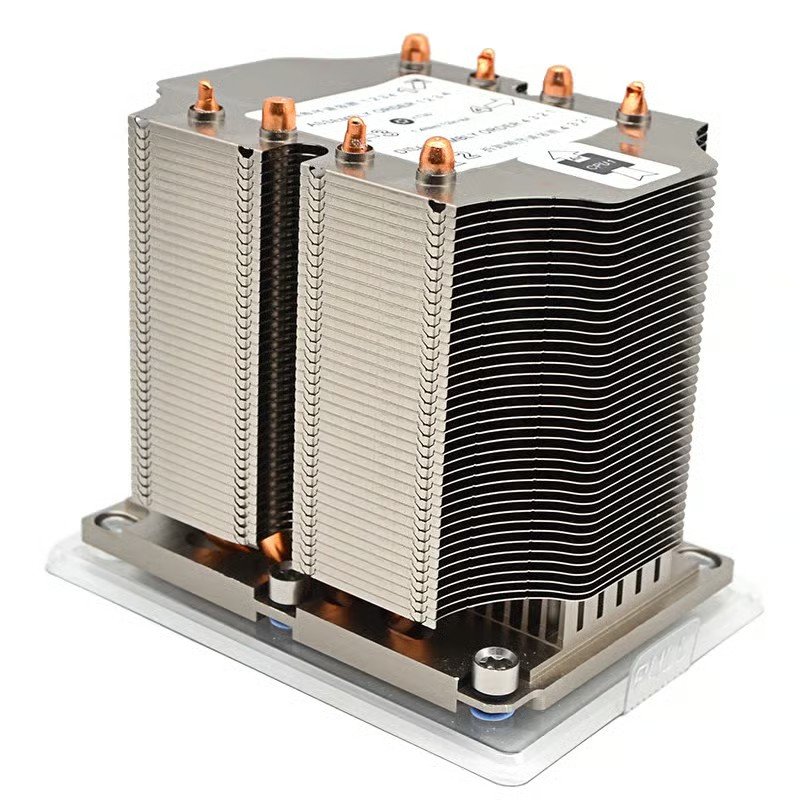
Passive Heat Sinks
When asking “which heat sink is best for PC” in a recording studio or dusty industrial environment, the answer is often passive. Passive heat sinks rely entirely on natural convection or system-level airflow. Because they lack fans, they are silent and have a zero failure rate.
- Zero Noise: Ideal for audio workstations.
- High Reliability: No moving parts to break.
- Surface Area Key: Requires larger fins.
Active Heat Sinks: The Performance Standard
For 90% of gaming PCs and workstations, active cooling is the answer. By attaching a fan directly to the fin stack, active heat sinks force air through the structure, dramatically increasing the dissipation rate. This allows for smaller heatsinks to handle higher thermal loads compared to passive solutions.
The Hybrid Approach
Modern active coolers often feature “0dB modes,” where the fan stops spinning at low temperatures, effectively turning into a passive sink until the workload increases.
Blowers vs. Axial
Blower fans exhaust hot air out of the case (good for small form factors), while axial fans blow air towards the board (better for overall component cooling).
Air Cooling vs. Liquid Cooling: The Eternal Debate
When users ask which heat sink is best for PC enthusiasts, the conversation inevitably turns to liquid. While technically a “radiator” and not just a sink, the principle remains: moving heat away from the source.
Standard Air
Reliable, cheap, and lasts forever. Sufficient for non-overclocked CPUs.
AIO (All-In-One)
The “Best” balance for high-end PCs. cleaner aesthetics and great thermal mass.
Custom Loop
Unbeatable performance, but high maintenance and risk of leaks. For experts only.
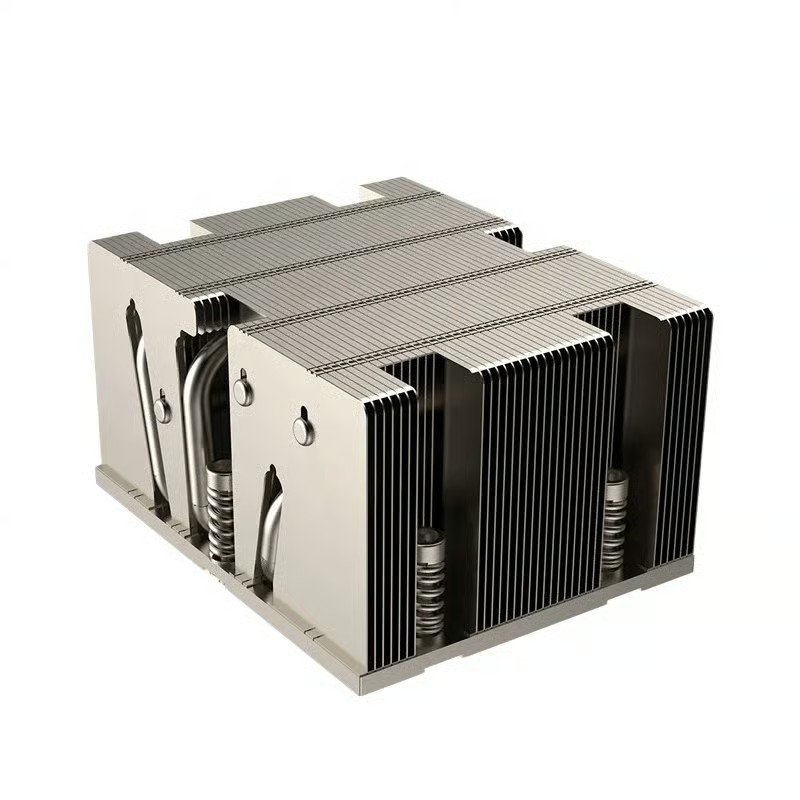
Rackmount Reality: 1U and 2U Solutions
In the data center, “best” is defined by airflow direction and height constraints. A consumer tower cooler will not fit in a 2U server blade. Here, we utilize high-density skived fins or soldered zipper fins.
The challenge: Cooling a 200W+ CPU in a space less than 3 inches tall.
The solution: Rapidaccu’s copper-base vapor chambers combined with high-velocity chassis airflow. We design these to channel air efficiently through the entire chassis, not just the CPU.
Beyond the CPU: Other Critical Zones
NVMe SSDs
Gen 5 SSDs can reach 70°C+ rapidly. A small aluminum heatsink is now mandatory to prevent throttling.
VRM (Voltage Regulators)
Often overlooked. If VRMs overheat, the motherboard throttles power to the CPU. Look for finned aluminum blocks.
GPU Backplates
Active backplate cooling is becoming essential for top-tier cards like the RTX 40/50 series to cool VRAM modules on the rear.
The Bridge: Thermal Paste Importance
You can have the most expensive copper heat sink in the world, but if the interface between the chip and the metal is poor, it is useless. Thermal paste (TIM) fills microscopic air gaps.
- Standard Paste: Good for everyday users.
- Liquid Metal: Extreme conductivity but electrically conductive (risky).
- Carbon/Diamond Pads: Reusable and durable, but slightly lower performance.
Rapidaccu’s Decision Framework
Use this checklist to determine which heat sink is best for your specific PC build:
Check the TDP
Ensure the heatsink is rated for your CPU’s wattage (e.g., 125W TDP).
Measure Clearance
Check case height limits and RAM clearance. Large air coolers often block memory slots.
Acoustic Preference
If silence is gold, oversize the heatsink and run fans at lower RPM.
Need More Than Off-The-Shelf?
Sometimes standard solutions don’t fit. At Rapidaccu, we specialize in Custom Heat Sink Manufacturing. From CNC machining and metal stamping to advanced skiving and anodizing, we build thermal solutions tailored to your exact specifications.
